
Send the quote today.
Invoice ready when the client pays.
Build the quote from templates and product recipes, share it on a link, and when the client accepts, turn it into a proforma and then an invoice. Nothing retyped.
Included in Business Pro and Full manager. Also active during the trial.
- Tiles 24 sqm 2.160,00 RON
- Adhesive and grout 540,00 RON
- Fitting labour 3.200,00 RON
- Total 5.900,00 RON
Quote, proforma, invoice
Same lines, same prices, from the first quote to the invoice sent to e-Factura.
What you get
Quotes the client opens, reads and accepts, with no attachment lost in email.
The client answers on the link
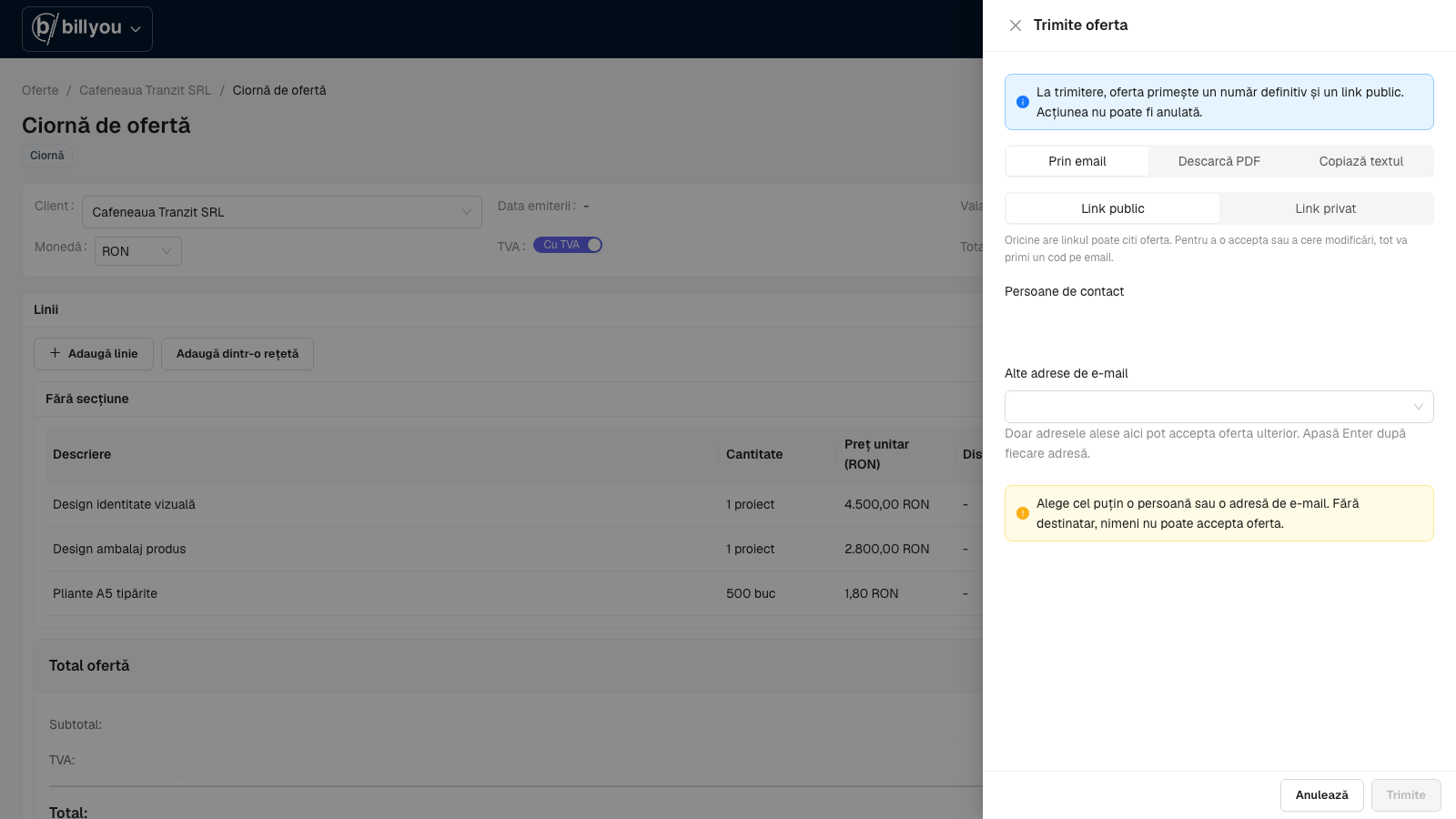
Send the quote as a link; the client opens it in the browser, no account. With a code sent to their email, they accept, reject or ask for changes, with a note.
Private quotes
For quotes not everyone should see: the link opens only with a code sent to the recipient's email.
Templates
Save a quote as a template (lines, currency, validity, notes) and start from it next time. Editing the template never changes quotes already made.
Versions
Client wants a change? Make version 2. The version you sent stays exactly as sent, only you see the history, and the client always sees the latest.
Public link or private link with a code
Choose how the quote reaches the client: a link anyone with it can open, or one that needs a code sent by email.
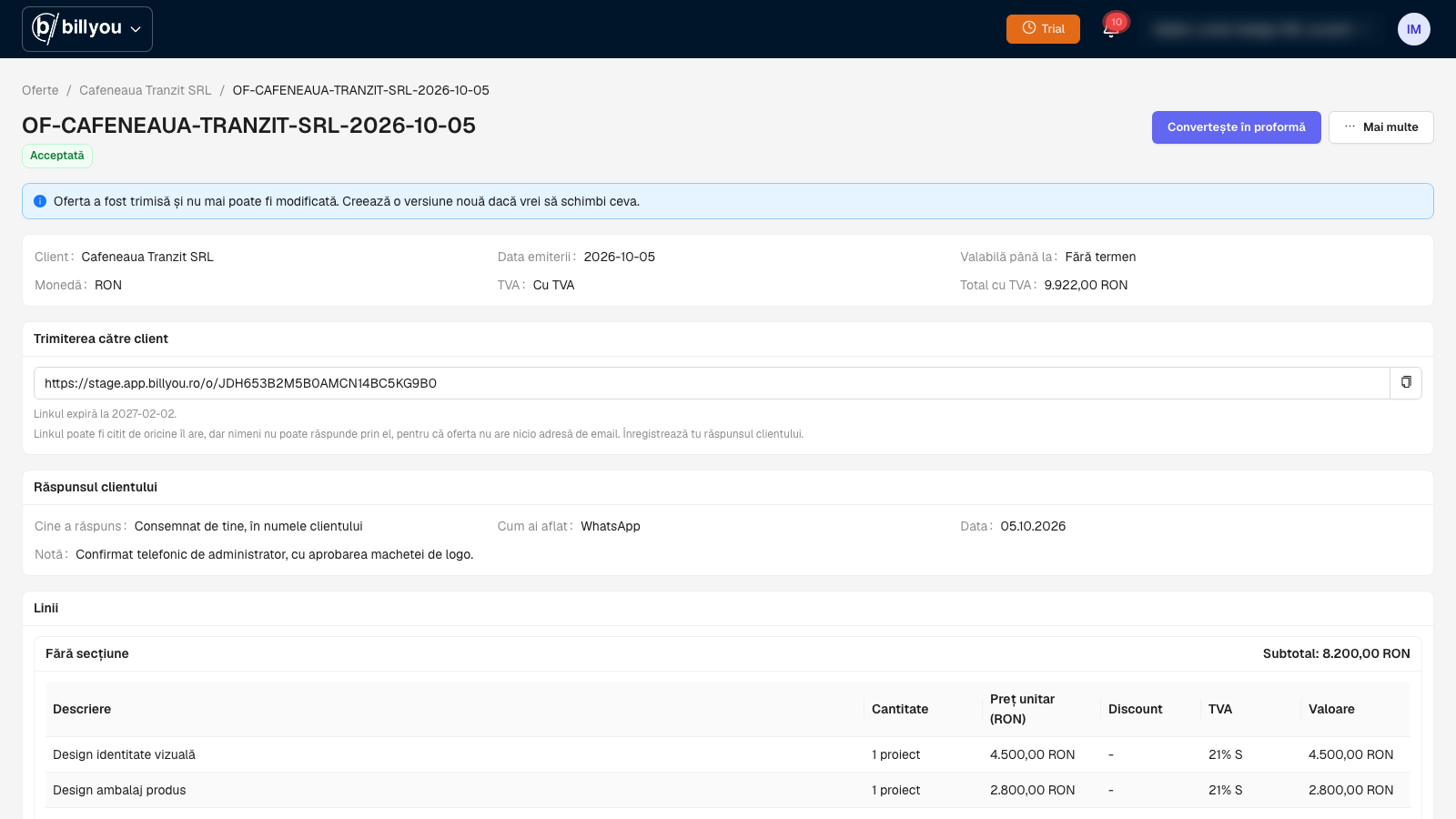
The client says yes, then a proforma in one click
Client said yes on WhatsApp? Record the response yourself, then press Convert to proforma.
What you always sell together, you define once.
A recipe is a bundle of catalogue products you always sell together. Define it once, add it to a quote in one click.
The "Full bathroom" recipe
Tiles, adhesive, grout and labour. In the quote, the recipe expands into its lines, with quantities and prices.
- Tiles
- Adhesive and grout
- Labour
Recipes inside recipes
"Apartment renovation" can hold "Full bathroom" and "Kitchen". Add one recipe and the quote fills in with every line underneath.
- Apartment renovation
- Full bathroom
- Kitchen
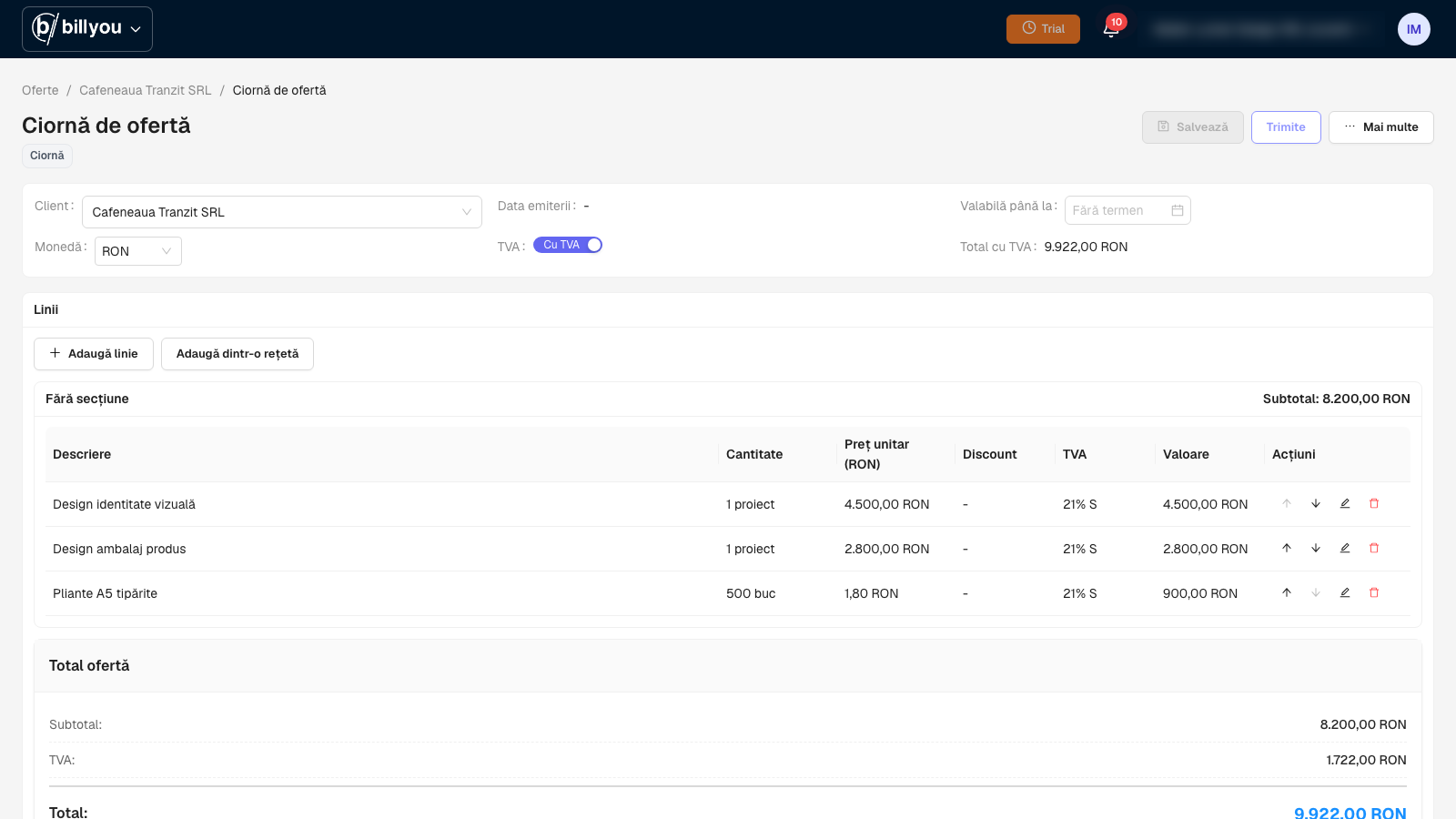
Add the recipe, the quote fills in
The recipe expands into its lines, with quantities and prices, and the total is calculated for you.
Who it is for
For anyone who sends a quote before invoicing.
Trades and construction
Estimates with materials and labour, reused from recipes.
Installers and service
Standard job packages, adjusted per client.
Agencies and B2B services
Versioned quotes until agreement, then the invoice without copy-paste.
Quotes and recipes questions
Your next quote, ready in minutes.
30 days of full access, no card.