
Your accountant works in Saga?
Hand over a file ready to import.
Export issued invoices, receipts and expenses in Saga's import format. Your accountant imports them directly, without retyping anything or asking you for PDFs by email.
- XMLSales48 invoices, 2 credit notes
- XMLReceipts31 receipts
- XMLExpenses22 received invoices
Pick the period, tick what to export
Issued invoices (Iesiri) and receipts (Incasari), in a file you import in Saga from Diverse, Import date.
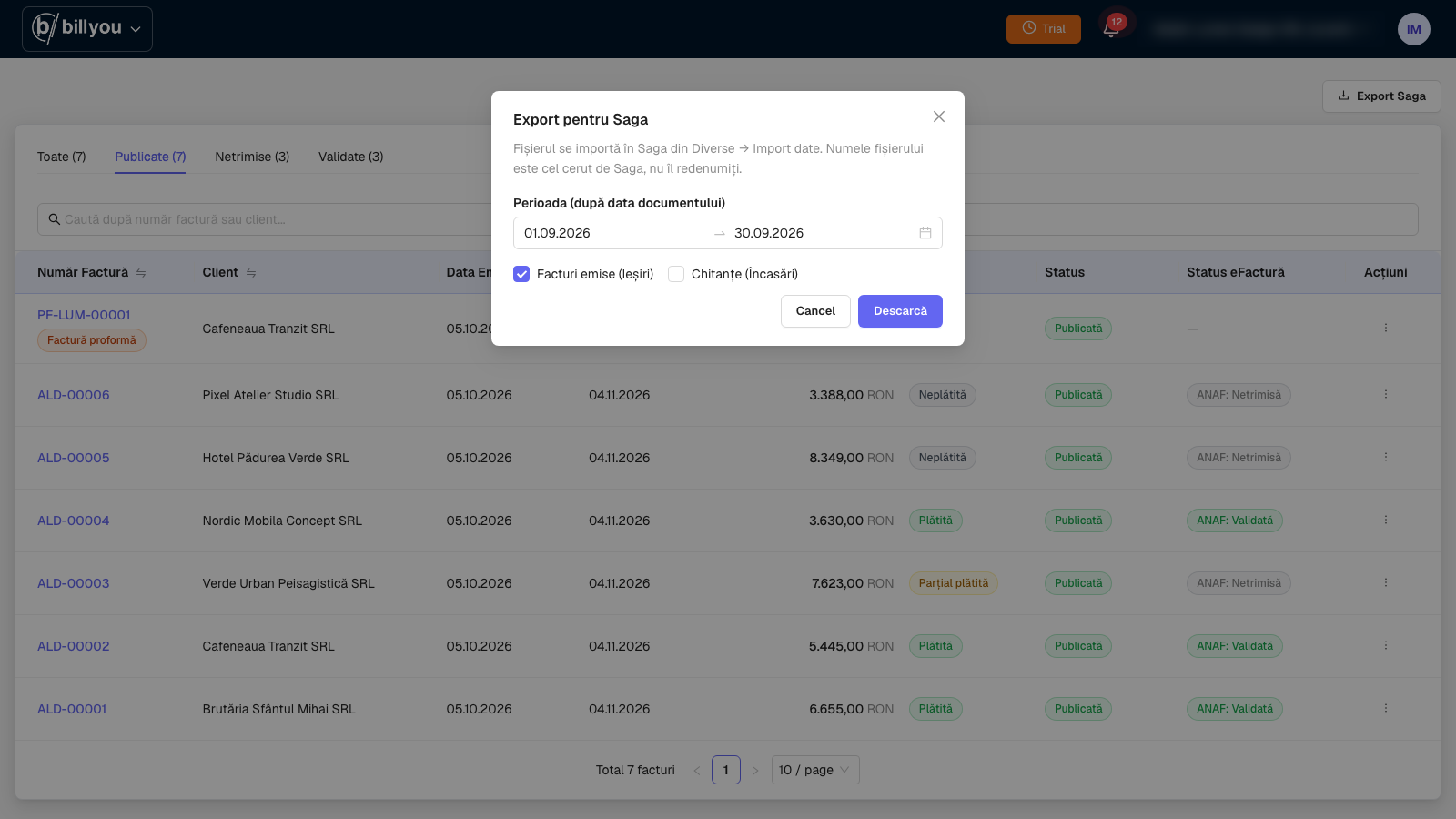
What you export
Everything your accountant needs to close a month, in files Saga imports.
Sales (Iesiri)
Issued invoices, credit notes included, as an XML file for import into Saga. You pick the date range.
Receipts (Incasari)
Receipts and payments received, ready to import.
Expenses
Received invoices, as XML for Saga's Intrari screen. Filter by category, vendor or currency. You run this export from the app.
Three ways to export
Get issued invoices and receipts out from wherever suits you.
From the app
A button in the invoice list and in the receipts history. Pick the range and download the file.
Through the API
For accounting firms or ERPs that pull the file automatically, through the API (separate plans).
Through the AI assistant
Ask Claude or ChatGPT: "export September's invoices for Saga".
Built by people who close the books every month.
Billyou is built together with AxACont, an accounting firm with 25+ years of practice. Your accountant can run the export themselves once you add them to your team. On Business Pro and Full manager they also export your expenses, ready for Saga's Intrari screen.
Billyou for accountantsSaga export questions
This month, send your accountant a file, not a folder.
Saga export for invoices and receipts, included in every plan.